Documentation Older manuals
AromaController Android
How to connect an Aroma Shooter® and emit scents with AromaController on Android.
This app is no longer updated. This manual is kept for anyone still using it.
This is the manual for the AromaController application on Android devices. AromaController lets you test your Aroma Shooter® as quickly as possible. It was made for almost all platforms, including Windows, Android, iOS, Ubuntu and macOS.
Features
- Easy to use: connect the device and emit scents.
- Customizable interface: upload your own images.
Requirements
Device
- Android 4.4 or later
- A BLE-compatible Aroma Shooter. If the device’s serial number starts with “ASN1B” or “ASN2A”, it is BLE-compatible.
Connection
- Bluetooth BLE
Download
AromaController for Android is no longer distributed. If you need it, please contact contact@aromajoin.com.
Connect to an Aroma Shooter
Before you can control scents, link the app with your Aroma Shooter over Bluetooth.
- On the main screen, tap the gray hexagon at the top right to open the connection screen.
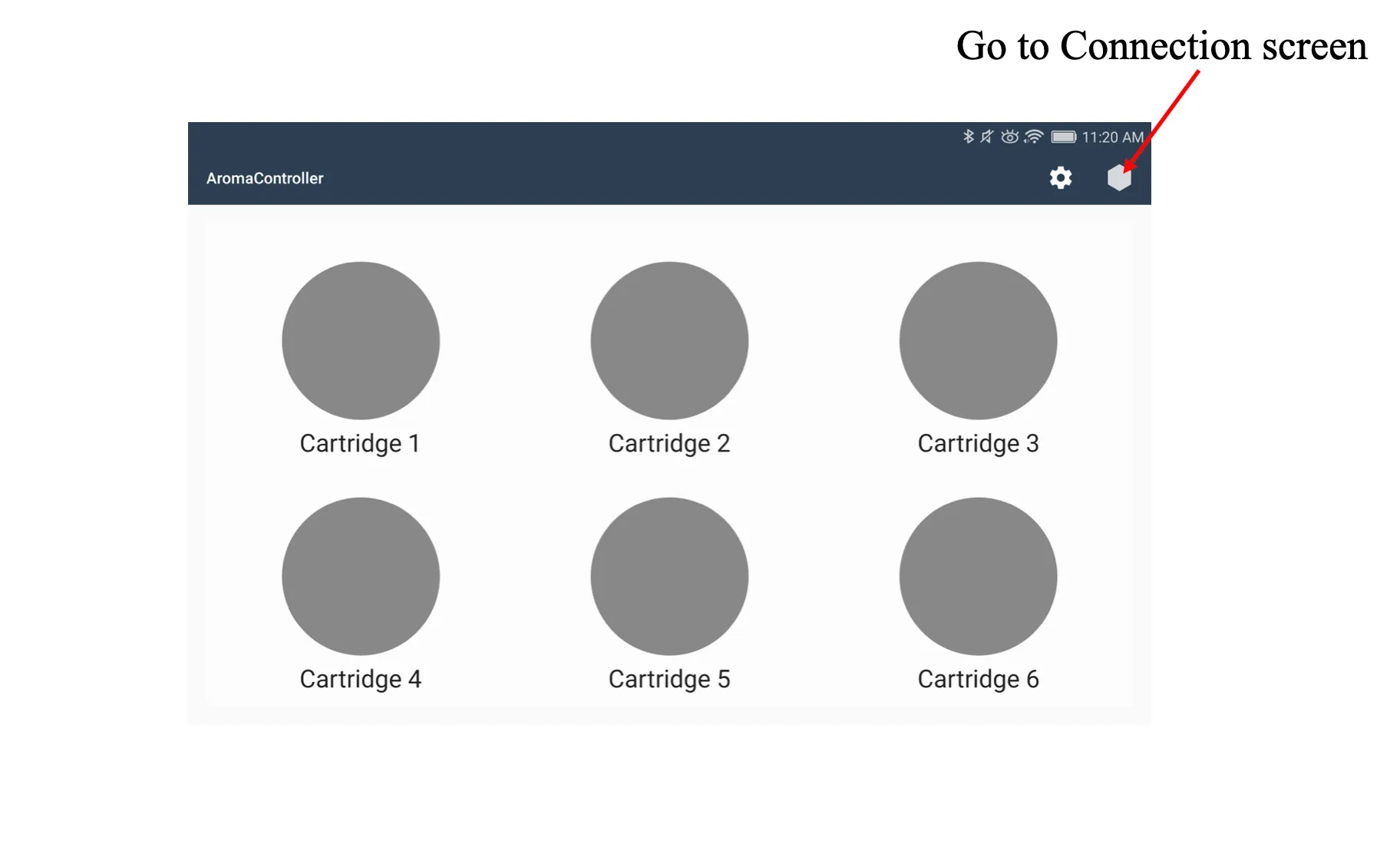
- The connection screen has two sections. “Connected” lists the Aroma Shooters connected now. “Available” lists the devices found nearby.
- Tap the serial number of the Aroma Shooter you want, then tap “Connect”. When the connection succeeds, the serial number moves from “Available” to “Connected”.
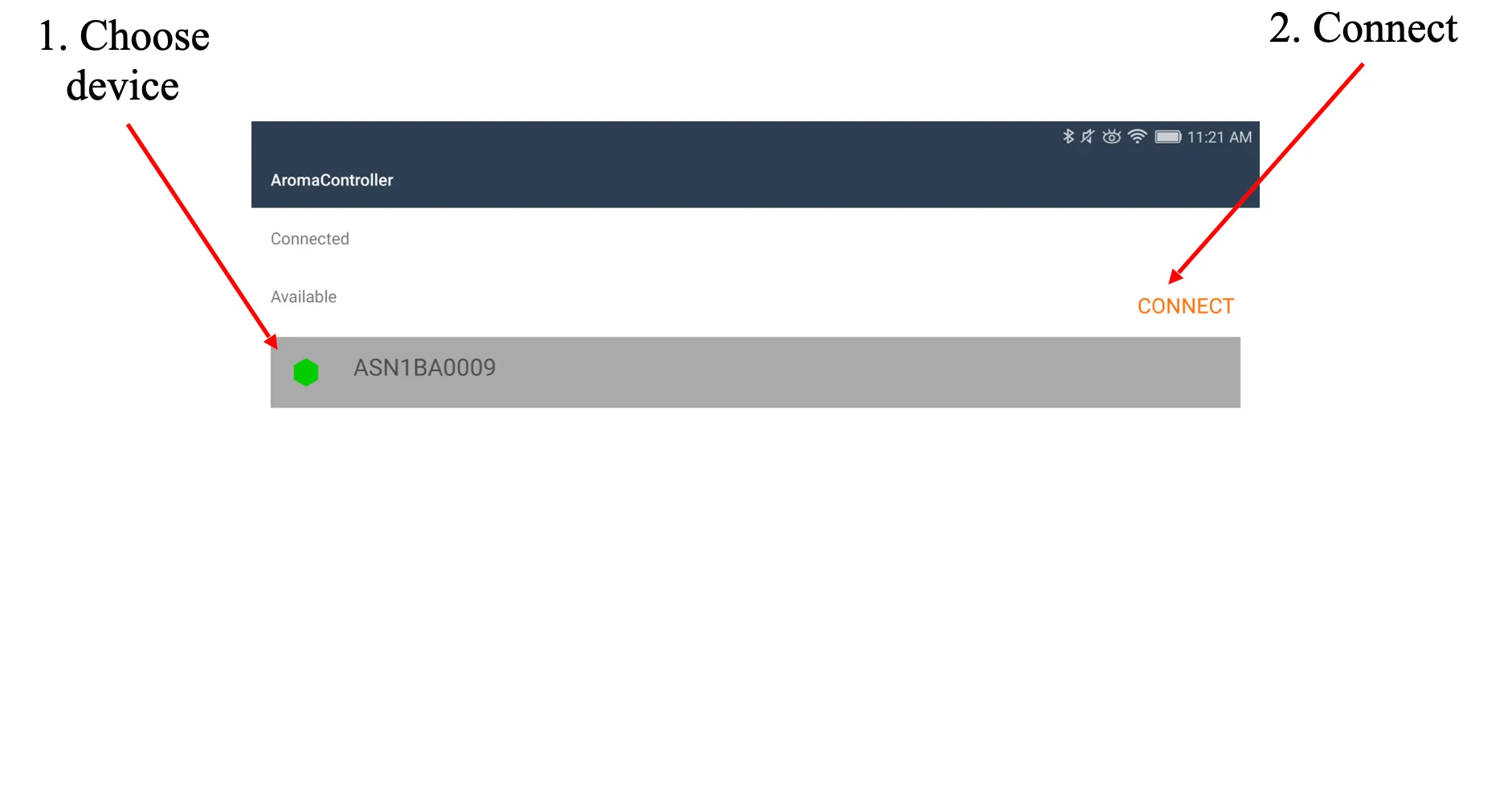
- Tap your Android device’s back button to return to the main screen. The hexagon turns green while at least one Aroma Shooter is connected.
Emit scents
Tap a cartridge button to emit that scent.
Change settings
To open the settings screen, tap the gear icon at the top right of the home screen. There you can change:
- Cartridge name
- Cartridge image
- Cartridge button shape (circle or square)
- Home screen background image
- Shooting duration
Others
There are other minor functions you can explore in the app. If you have questions, write to contact@aromajoin.com.