Documentation Aroma Shooter®
Parts and LED indicators
The parts of Aroma Shooter®, how to power it, and what its LEDs mean.
Before you start, take a minute to learn the parts of your Aroma Shooter®, how to power it, and what its two LEDs tell you.
Parts
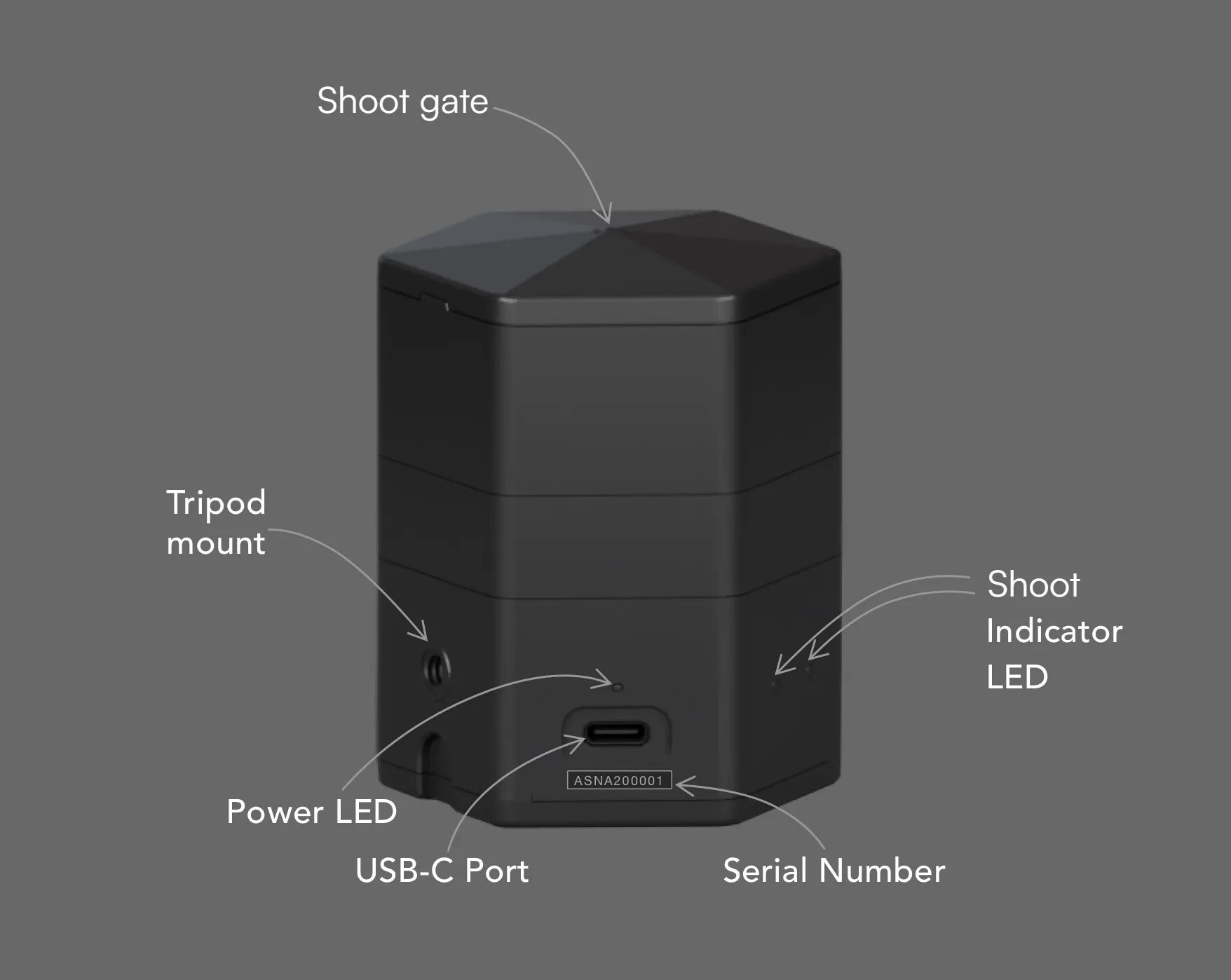
Aroma Shooter® 2
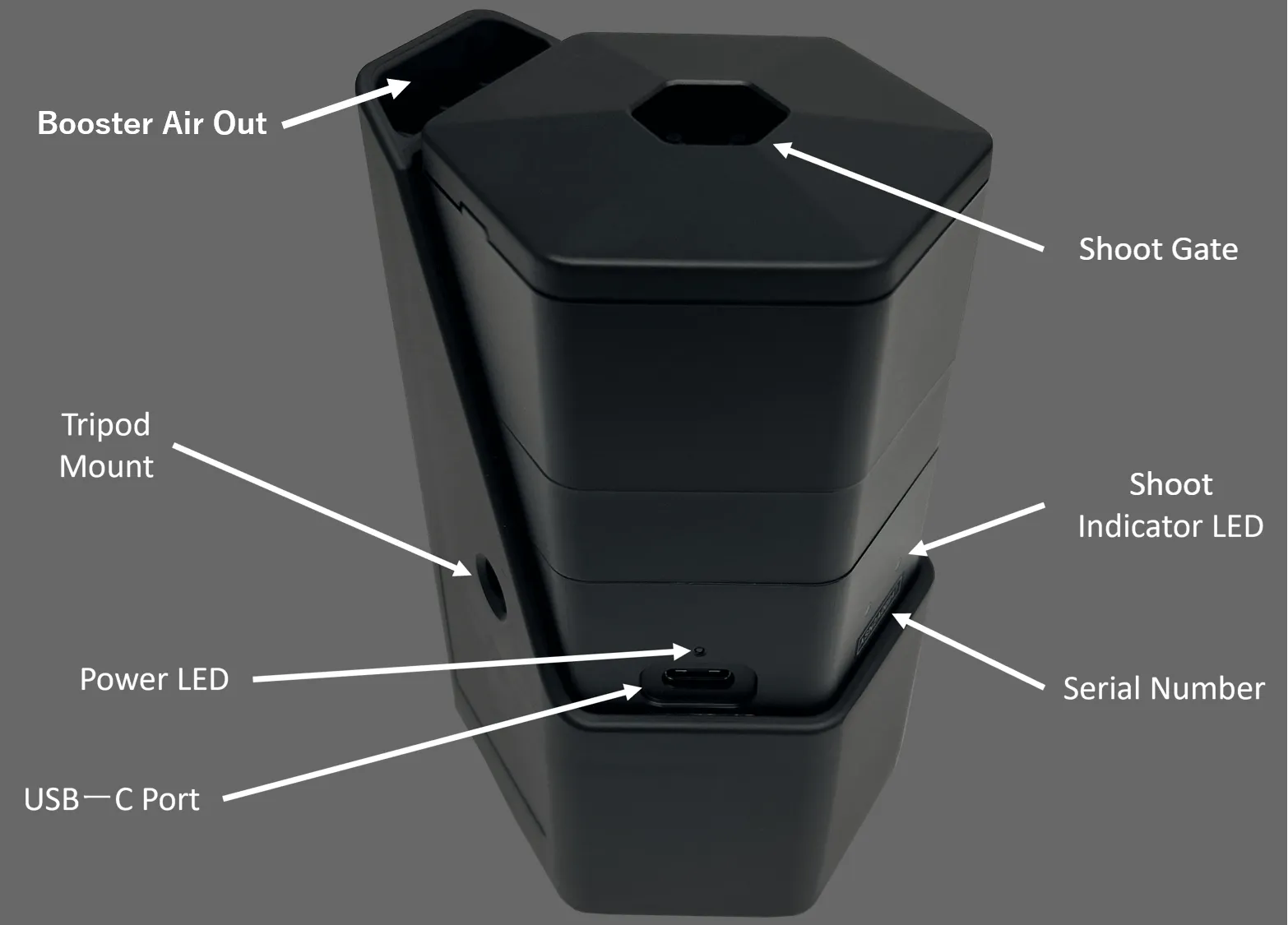
Aroma Shooter® 3
- Booster Air Out (Aroma Shooter® 3): Air from here carries the scent up to 2 m.
- Shoot Gate: Scents come out of these 7 small holes.
- Shoot Indicator LED: There are 2 LEDs. Each lights red, green or blue. See Reading the LEDs below.
- Serial Number: Each Aroma Shooter® gets a unique number in production, in the format ASN2XXXXXX. Apps use it to tell nearby Aroma Shooters apart.
- USB-C Port: Plug in a USB-C cable here. This is how the device gets power.
- Power LED: Lights blue when the device has power.
- Tripod Mount: Attach the device to a tripod or camera mount to aim the scent.
Under the lid there are 6 cartridge slots, labelled 1 to 6. To insert or remove cartridges, see Handling and storage.
Powering the device
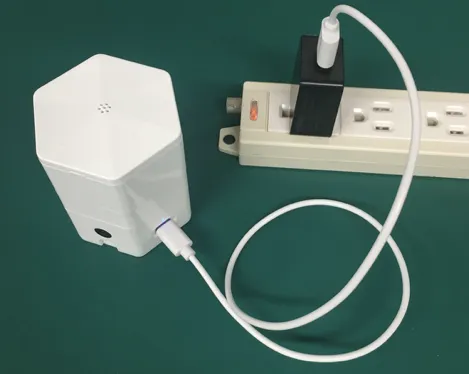
Power your Aroma Shooter® with the included USB-C cable and AC adapter. If you don’t have the adapter, use a 5 V / 2 A AC adapter for Aroma Shooter® 2 and a 5 V / 3 A one for Aroma Shooter® 3.
Insufficient power may cause the device to malfunction.
Reading the LEDs
The two LEDs on the front show the connection status. While scents are being emitted, their colors show which cartridges are in use.
Connection status
For connection status, both LEDs blink together in the same color.
| When | Light | Blinks |
|---|---|---|
| Connected over Bluetooth | Blue | 3 times |
| Connected to Wi-Fi | Green | 3 times |
| Connection lost (Bluetooth disconnected, or Wi-Fi dropped and could not reconnect) | Red | 2 short blinks |
- A single short red flash the moment you plug in power is normal.
- This table applies to firmware 2.2.0 and later. On earlier firmware, the LEDs blinked red three times when Wi-Fi connected.
While emitting scent
While a scent is being emitted, the LED lights in the color of its slot. Slots 1 to 3 use the left LED, slots 4 to 6 the right LED.
| Slot | LED | Light |
|---|---|---|
| 1 | Left | Red |
| 2 | Left | Green |
| 3 | Left | Blue |
| 4 | Right | Red |
| 5 | Right | Green |
| 6 | Right | Blue |